Automatic Lightning Lane booking.You pick. We book.
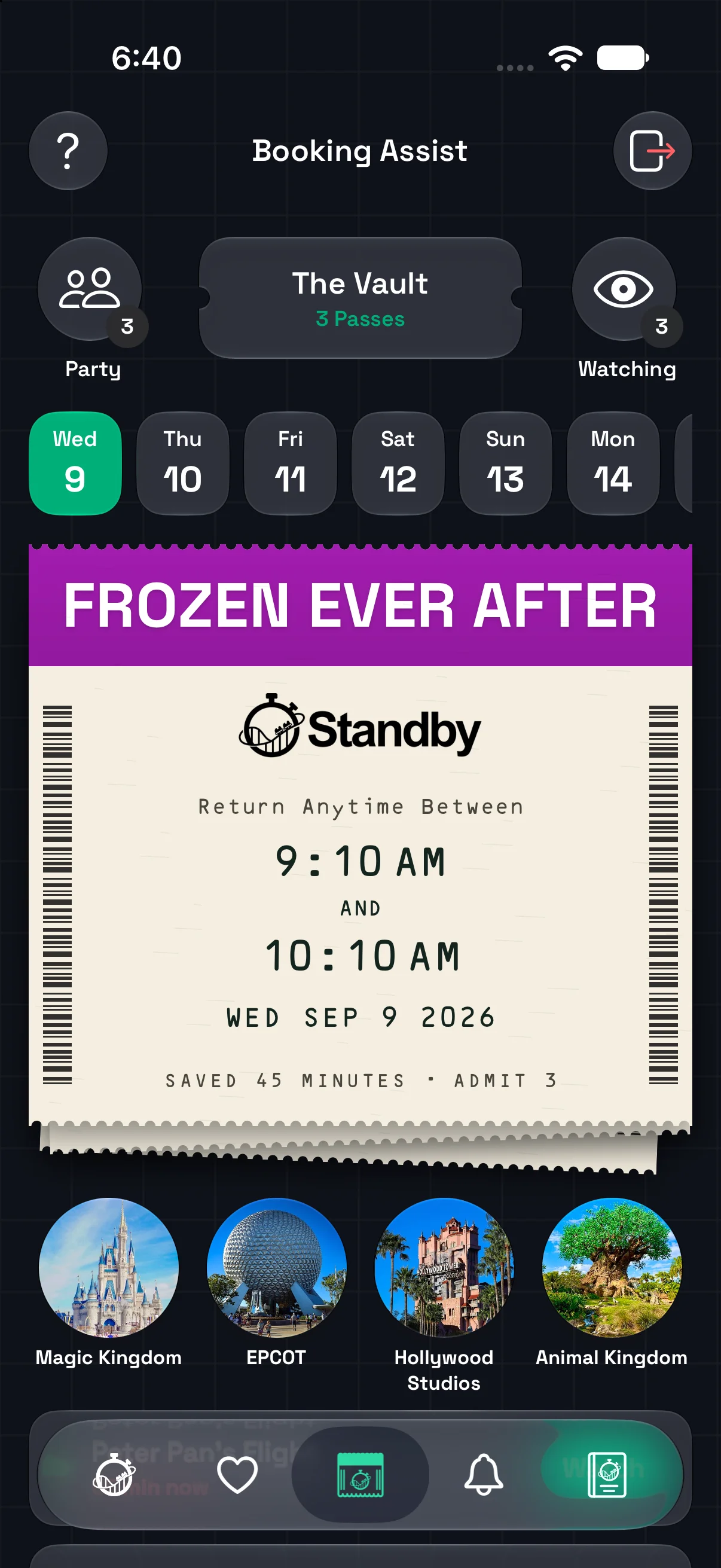
Your time in the park matters. Booking Assist automatically books eligible Lightning Lane Multi Pass return times for the rides and guests you choose. Spend less time refreshing and more time enjoying Walt Disney World.
One app for your whole park day.
Import your existing Multi Pass plans, search for your next ride, and manage bookings inside Standby. Wait times, wait alerts, reopening notifications, and Passport are here too, including at supported parks beyond Disney World. Booking Assist remains specific to eligible Walt Disney World Multi Pass rides.
See how Standby compares with Wait Magic and Standby Skipper
Set up your morning. Keep your day moving.
Buy Multi Pass and make your initial selections with Disney. Then use the Standby iPhone app to prepare searches for the rides you want throughout the day.
Get ready for your park day
Purchase Disney Lightning Lane Multi Pass in My Disney Experience and make sure each rider has valid admission and any required park reservation. You also need Booking Assist access that covers the date you want to watch.
Connect through Friends & Family
Use your My Disney Experience linking code and choose the guests who will ride together. Supported existing Multi Pass reservations appear in your plans. You do not give Standby your Disney password.
Choose your rides and booking style
A Watcher is a search for a ride, not a reservation. Pick the park, date, attraction, guests, and First Available or Earliest. You can prepare searches up to seven days ahead; future searches wait for that park day, rather than making your initial advance selections.
Use a pass. Make room for the next ride.
As your selected guests use their passes and become eligible, Standby can book another ride from your waiting searches. Turn on notifications and check each confirmed return time. Booking depends on Disney availability; a waiting search is not a guaranteed reservation.
Lock it in, or look for earlier.
Both choices start by trying to secure an available return time. You decide what happens after that.
Get a return time
First Available
Standby secures the first eligible opening it finds, then stops looking for that ride. The time could be early or late. This suits flexible plans when you are happy to accept the first return time found.
Keep looking for earlier
Earliest
Standby secures an opening, then keeps looking for an earlier return time. It stops improving that reservation once its current return window starts in 30 minutes or less. Watch Earlier also works on eligible imported passes. An earlier time is not guaranteed.
Change your plans inside Standby.
Seek an earlier return time with Watch Earlier, or choose Keep This Time to stop improvements. You can also cancel a Lightning Lane booked by Standby directly in the app. Removing an imported Disney pass from Standby does not cancel the Disney reservation.
Supported rides
Loading current ride list…
A few things to have ready.
A supported Walt Disney World ride
Booking Assist supports eligible Multi Pass attractions at Magic Kingdom, EPCOT, Disney’s Hollywood Studios, and Disney’s Animal Kingdom. Check the app for the rides available to watch.
An eligible party for that date
Each selected guest needs the right Multi Pass, admission, and any required reservation for the park day. Being connected in Friends & Family does not by itself make someone eligible.
Three held passes, more rides to search for
Disney allows up to three held Multi Pass selections per guest. Your watchlist is separate: prepare more searches while those slots are full. Standby waits until everyone selected can book again. A search does not override Disney’s booking rules.
Booking Assist coverage and notifications
Choose coverage for the dates you will use it, keep your Disney connection active, and enable notifications. Check the app for any connection or eligibility issue that needs your attention.
Booking Assist questions, answered.
Let your next ride come to you.
Choose and purchase your plan in the Standby app.
A Lightning Lane Multi Pass is required to use Booking Assist.